
AIRACE NTRIP CATALYST
Broadcast RTK correction data from the base station to rovers using our internet-based catalyst.
Airace Catalyst works with AIRACE RTK receivers and any third-party device that supports NTRIP. It is completely free to use and available worldwide.
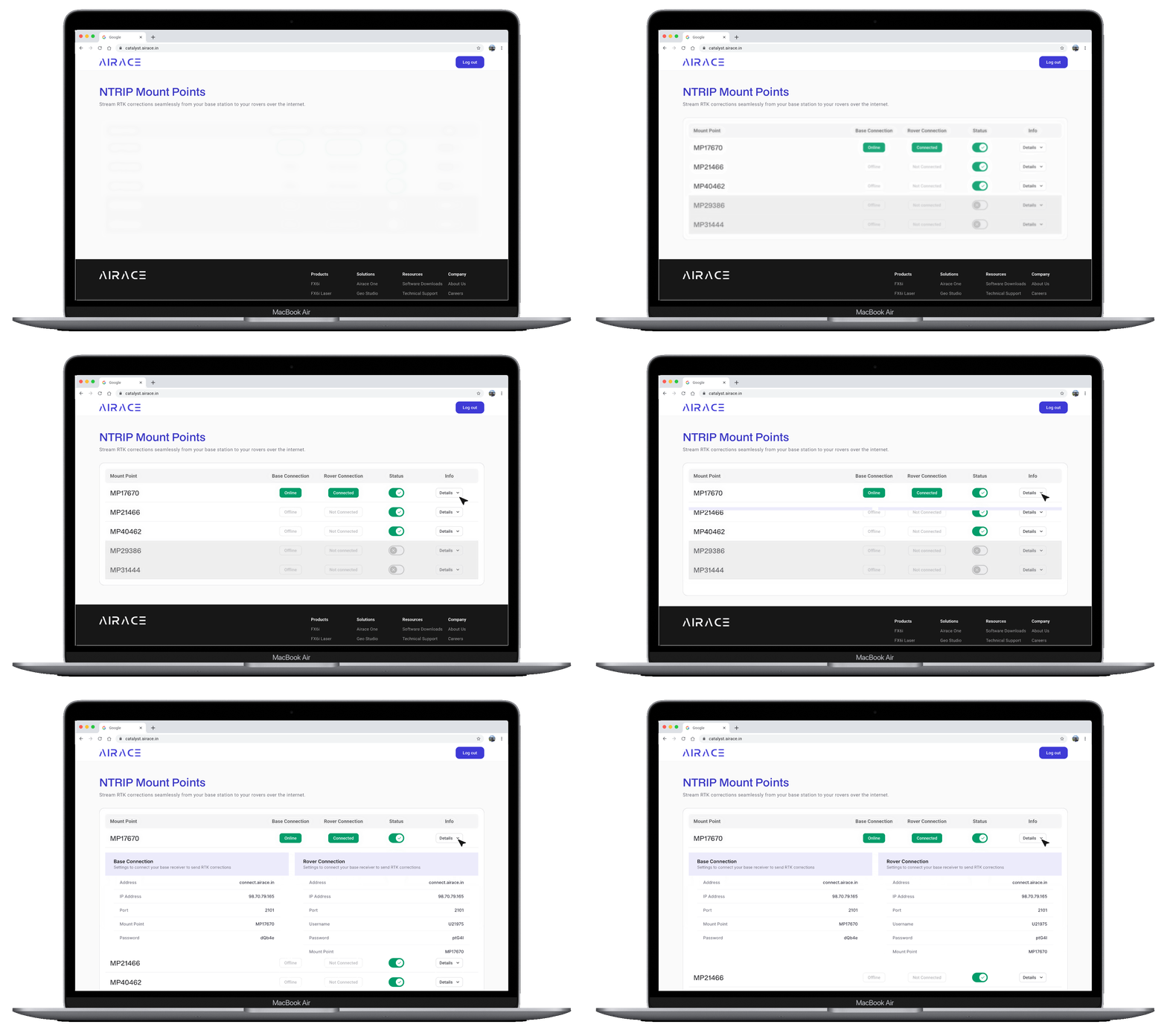
Your Setup
Airace Catalyst simplifies setting up your NTRIP base station for GNSS receivers. With our web app, just connect your base station, rover via internet, and you're all set with compatible formats.
NTRIP Stream
Internet protocol for RTK streaming
Multi Constellation GNSS
GPS, GLONASS, Galileo, BeiDou, SBAS and NavIC support
RTCM 3.x
Industry standard for GNSS correction format
Just Sign Up and Start Using
Three simple steps to configure and scale your RTK broadcasting network.
Create Account
Create an account on the AIRACE Catalyst website. Once registered, you'll receive five NTRIP mountpoints to configure and use with your base stations.
Connect & Stream
Set up your RTK base station and configure it with the NTRIP credentials provided. Connect the base to the Internet and start streaming its GNSS correction data to your assigned mountpoint.
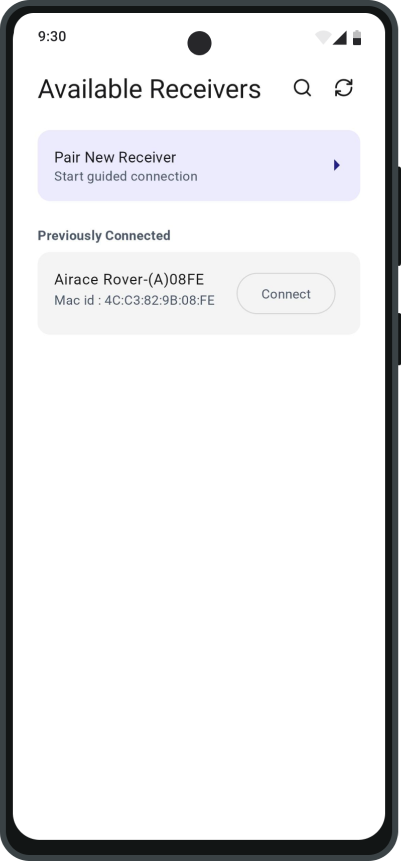
Connect Your Rovers
Set up your rover receiver with NTRIP credentials for the mountpoint. It connects to the catalyst online, receives correction data, and achieves high-precision RTK positioning.
Enter NTRIP Credentials on Your Base Station and Rover
Keep your devices synchronized over standard internet streams.
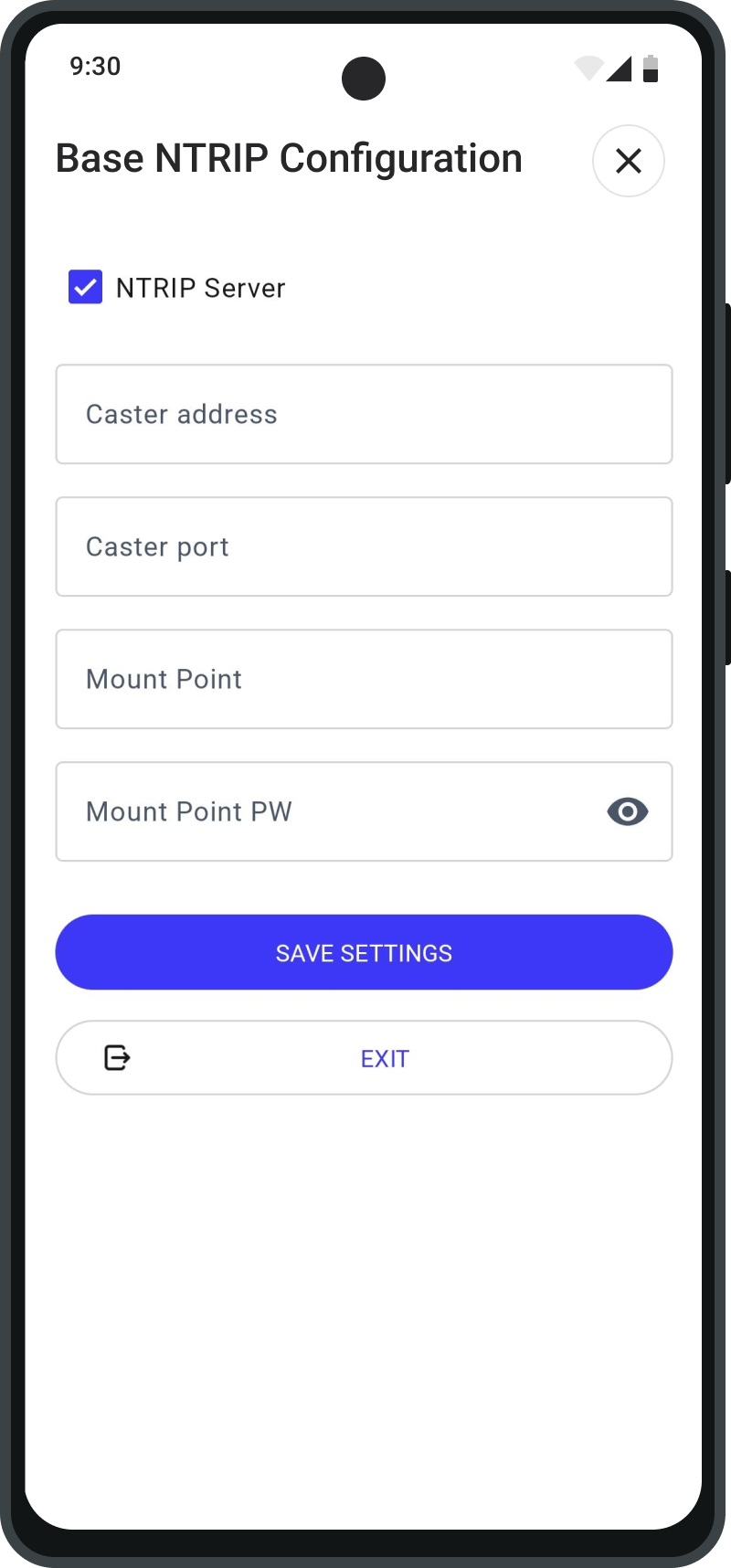
Base settings
Go to Base NTRIP configuration
Fill in the credentials of your mount point.

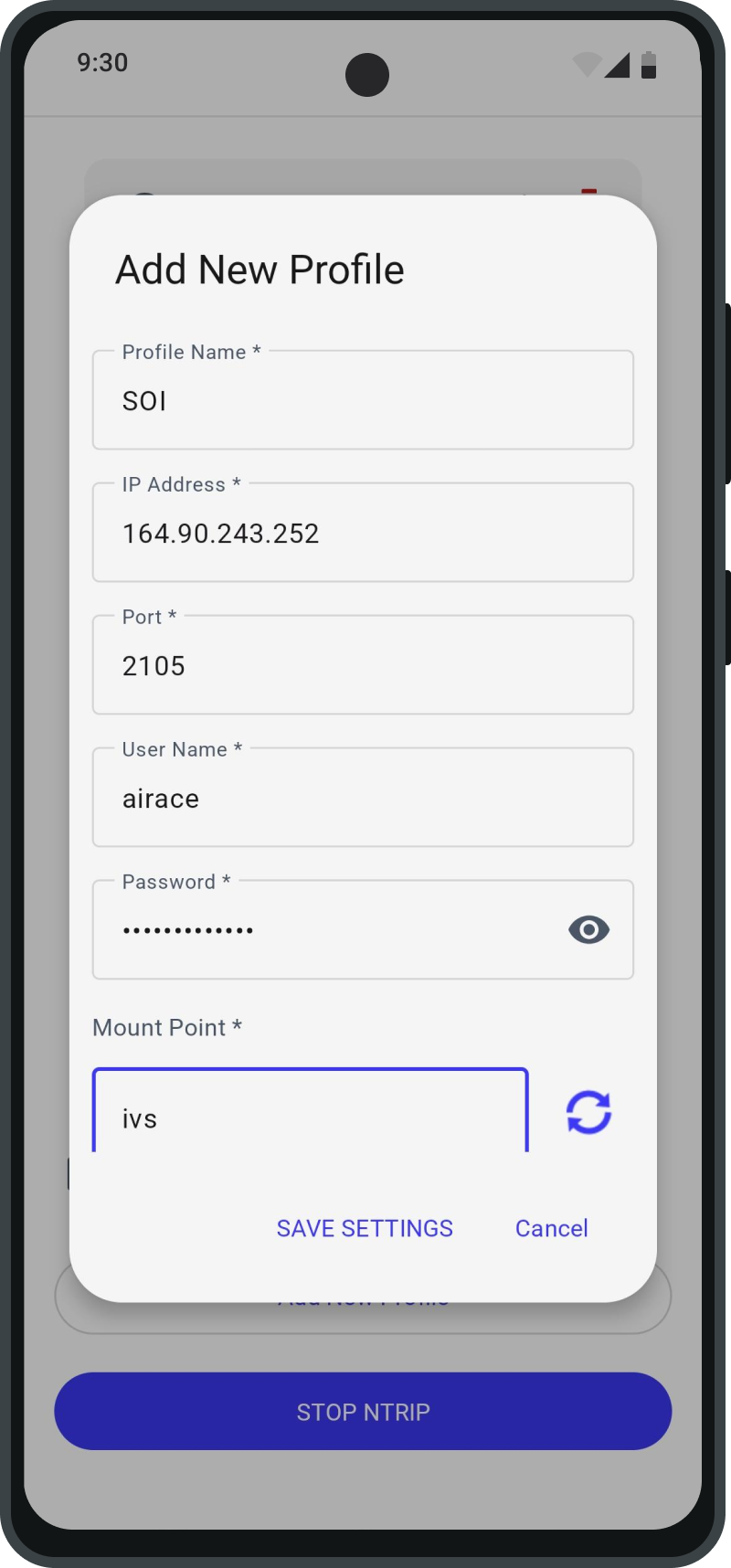
Rover settings
Go to NTRIP settings
Fill in the credentials for your rover
Connect Your Receiver to the Internet
NTRIP requires an active Internet connection to send and receive GNSS correction data. Airace One Mobile App provides flexible connectivity options for field operations.
Wi-Fi / Mobile Internet
Connect Airace One mobile app to the Internet through Wi-Fi or mobile data to stream GNSS correction data between your receiver and the NTRIP catalyst.
Bluetooth Tethering
Connect your GNSS receiver to the Airace one app via Bluetooth. The app communicates over phone's Internet to send and receive NTRIP data.
Have a Question?
Ask Our Team
Our field engineering specialists are on hand to guide you through complex GNSS / RTK catalyst setups.